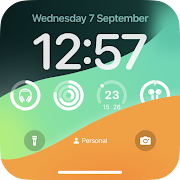
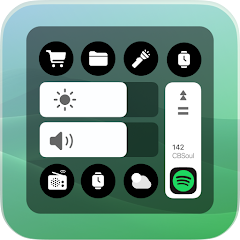
Let’s start with a highlight: the smart toolbar! This feature is synonymous with the latest iPhone models, but guess what? You can now enjoy it on your Android phone through the iOS Widgets app. It’s all about convenience! With just a few simple tweaks, you can swap your phone interface, ushering in a world of efficient tool access. The smart toolbar brings essential functions—like WiFi, mobile data, and Bluetooth—right to your fingertips, and you can even customize shortcuts for ultra-quick access. Talk about smooth sailing!
iOS Widgets do more than just deliver info at warp speed; they also give your home screen a splash of personality! With an impressive array of widget styles and sizes, you can design a layout that screams YOU. Different themes, colors, and fonts can enrich your phone’s aesthetic, transforming it into a mini art gallery. Swiping through this sea of options is as easy as pie! But heads up! You’ll need to grant some basic permissions when installing the app. Don't fret; these are harmless, ensuring your device stays spick and span.
Say goodbye to boring contacts! iOS Widgets lets you dress up your contact list with flair. Now, you can categorize them neatly, making navigation a breeze. Your favorite contacts get VIP treatment—they’ll be prominently displayed so you can reach them faster than ever. Plus, diving into your call history is a cinch; simply scroll through recent calls, whether received or missed. Searching for contacts or entering numbers? Easy-peasy—all thanks to your new widget.
Imagine accessing your weather and calendar just like an iPhone user! With this app, your dreary calendar view gets a complete makeover, flaunting details like date, month, and weekday beautifully laid out. And check this—adding notes for specific days is stress-free, helping you keep tabs on your schedule. Want your weather updates, calendar, and clock on your main menu? Done! It's simplicity at its finest.
The cherry on top? iOS Widgets packs a variety of sizes and content to satisfy every whim. From weather alerts to calendar events and news highlights, there’s something for everyone! Whether you choose from Apple’s in-house widgets or sprinkle in third-party favorites, adding them is a walk in the park. Just tap and hold your home screen, hit the “+” icon, and voilà—drag and drop any widget to create your dream layout.
Once you've downloaded the app, consider your Android experience transformed! The clock gets a tantalizing iOS-style facelift, popping up engagingly each time you glance at your screen. Adjusting your watch straight from the lock screen is a breeze, too! On top of that, battery indicators will sport an elegant iOS look, making monitoring your phone's life feel fab.
Thanks to this fabulous app, your calendar and weather functionalities morph into their iPhone counterparts right before your eyes. Enjoy a cohesive interface showcasing vital details while staying organized. Adding and tracking notes has never been easier! Your weather updates will hang sweetly on your main menu, keeping you informed without lifting a finger.
The transformation begins once you install the app. Lay your hands on those classic iOS features right from your Android! As you navigate, the iOS-themed clock pops up seamlessly, while battery icons transition into familiar sights for iPhone users. Smooth and stylish—that's the motto here.
Don't forget the pièce de résistance—the smart toolbar! With little effort, switch up the settings and dive into a world of utility. Embrace features like WiFi, mobile data, Bluetooth, and much more, all neatly packed for easy switching between functions. Convenience has never felt this good!
Ready to bring the best of iOS to your Android? The iOS Widgets app by Dita Cristian Ionut is your golden ticket! With over a million installs on Google Play, this app is adored by many. Not only does it transform your widgets, but it also supports both Dark and Light modes to suit every taste.
Here’s a sneak peek of the delightful widgets you'll find:
Analog / Digital Clock 🕕
Battery 🔋
Calendar 🗓️
Weather 🌤️
Photos 🖼️
Control Center 🎛️
Music 🎶
News 📰
Google 👀
Spotify 🎧
Device Information 📱
Air Quality 🏙️
Counter ⏲️
Tasks Manager ✅
Contacts 👥
Moon Phases 🌔
So, what are you waiting for? Dive into the iOS Wonderland on your Android today! Your phone deserves this upgrade!
| App Name | iOS Widgets |
|---|---|
| Version | 4.0.0 |
| Size | 39.16 MB |
| Update | May 13, 2025 |
| Developer | Dita Cristian Ionut |
| Category | Personalization |
| Google Play ID | com.dci.dev.ioswidgets |






29.06 MB 2.0.5
5.26 MB 1.0.8