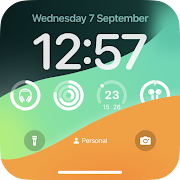
Check out the fantastic features Muzia has to offer:
Works seamlessly with all your favorite music applications.
Keep up with the weather — no need to switch apps!
Battery saver options like activating on charge or using wave-to-wake.
Interact with notifications without skipping a beat.
Respond instantly to messages right from the Muzia screen.
Always stay informed about your battery level.
Display song and artist titles along with album images.
Take control of your playlist easily — play, pause, go back, or skip ahead.
Important Note: While Muzia enhances your listening experience, it doesn’t contain or stream music by itself. It relies entirely on other media players already doing their thing.
Muzia is not just another app; it’s an innovative always-on display solution for music enthusiasts! With Muzia, you can control and view your songs effortlessly while enjoying vibrant displays of artist names and album artwork. The best part? It plays nicely with all your go-to media player apps including Amazon Music, YouTube Music, Spotify, Apple Music, and many more!
Imagine this: you're jamming to your favorite tunes when suddenly a message pops up. No need to stop the music! With Muzia, you can respond immediately to texts or alerts from SMS, Facebook Messenger, WhatsApp, and other messaging platforms without missing a beat. Plus, you can either delete notifications or save them for later, making it perfect for your busy lifestyle. If you love music, you simply can't live without Muzia!
One of the coolest aspects of Muzia is that you can reply to messages without hitting pause on your music. Talk about convenience! You can quickly delete messages or keep them in your queue for later reference – perfect for managing urgent correspondence. Whether it's a quick "on my way" text or responding to a friend on Facebook, Muzia has got your back!
Muzia makes power management a breeze. You can set the app to launch while charging or even bring it to life with a simple wave of your hand! Plus, staying updated on the forecast is as easy as a tap. Battery percentage checks and music controls are conveniently available at your fingertips.
For those moments when you’re exercising or simply want some peace and quiet, you can view and manage notifications without having to pause your music. The ability to save notifications for later viewing means you won’t forget anything important. How handy is that?
The advanced power-saving features in Muzia will blow your mind! You can configure it to activate only when your phone is plugged into a power source. Love the idea of checking the time or notifications without unlocking your phone? Thanks to the “wave to wake” feature, that dream is now a reality. It's perfect for when you just want a quick glance at what’s happening!
Ready to jump in? Using Muzia is super easy! Here’s how you can get started:
1.Installation:Download Muzia from your preferred app store. Easy peasy。
2.Setting Up:After install, select your favorite music app like Spotify or Apple Music. Then customize the display settings to reflect your style。
3.Enjoying Your Music:Once everything is set, hit play as usual! Muzia will automatically showcase the album art, song lyrics, and other essential information on your lock screen。
4.Customize Away:Make Muzia uniquely yours! Choose from a fun variety of backgrounds and fonts, or unleash your creativity by adding personal photos and images。
In conclusion, Muzia stands out as a prime example of an always-on-screen music controller. While grooving to your tunes, the app flawlessly displays album covers and artist names. Compatible with major platforms like Spotify, SoundCloud, Apple Music, and many others, it integrates beautifully into your musical routine. Remember, Muzia isn't here to replace your music player; it’s there to elevate it! If you're passionate about music or just want an effortless way to track notifications, give Muzia a whirl — you won't regret it!
| App Name | Muzia |
|---|---|
| Version | 1.3.8 |
| Size | 32.24 MB |
| Update | Jun 06, 2025 |
| Developer | newGen Mobile |
| Category | Personalization |
| Google Play ID | com.newgen.muzia |






29.06 MB 2.0.5
5.26 MB 1.0.8